Three everyday online learning tools, the mistake most tutors make with each one, and simple, research-backed fixes you can use in your next lesson.
Most live online lessons do not go wrong because of the platform. They go wrong because good tools are used in ways that let the student sit back and watch. A student can nod along to a beautifully prepared screen for an hour and remember very little of it a week later.
Our tutors teach every lesson online, from early primary reading to A Level chemistry. Across that range, three tools make the biggest difference to how much students actually learn: the interactive whiteboard, the lesson recording and a short retrieval quiz. Each has a common mistake, and each has a simple fix.
Key takeaways
- Give the student the pen. An interactive whiteboard that only the tutor writes on turns a lesson into a lecture.
- Use lesson recordings to practise, not to rewatch. Pause before each solution and try it first.
- Open every lesson with a 5-minute retrieval quiz. Retrieval practice is the habit with the strongest research behind it.
- Keep the student thinking for most of the lesson. Online learning tools only help when they make the student do the work.
The real problem: watching is not learning
Online lessons make it easy to be passive. The tutor shares a screen, explains clearly, and the student watches. It feels productive for both of them. But feeling fluent while watching is not the same as being able to do it alone.
Research on study techniques backs this up. In a major review of ten common methods, Dunlosky and colleagues (2013) rated rereading and highlighting among the least effective, while practice testing and spreading practice out over time were rated the most effective.
So the question for any online learning tool is simple: does it make the student think, or does it let them watch? The three tools below can do either. Used well, they make 1-to-1 online tutoring more active than many classroom lessons.
1. The interactive whiteboard: make thinking visible
In a classroom, a teacher can glance over a student’s shoulder. Online, the shared interactive whiteboard is that shoulder: it is the only place where the tutor can see a student’s working as it happens, mistakes included.
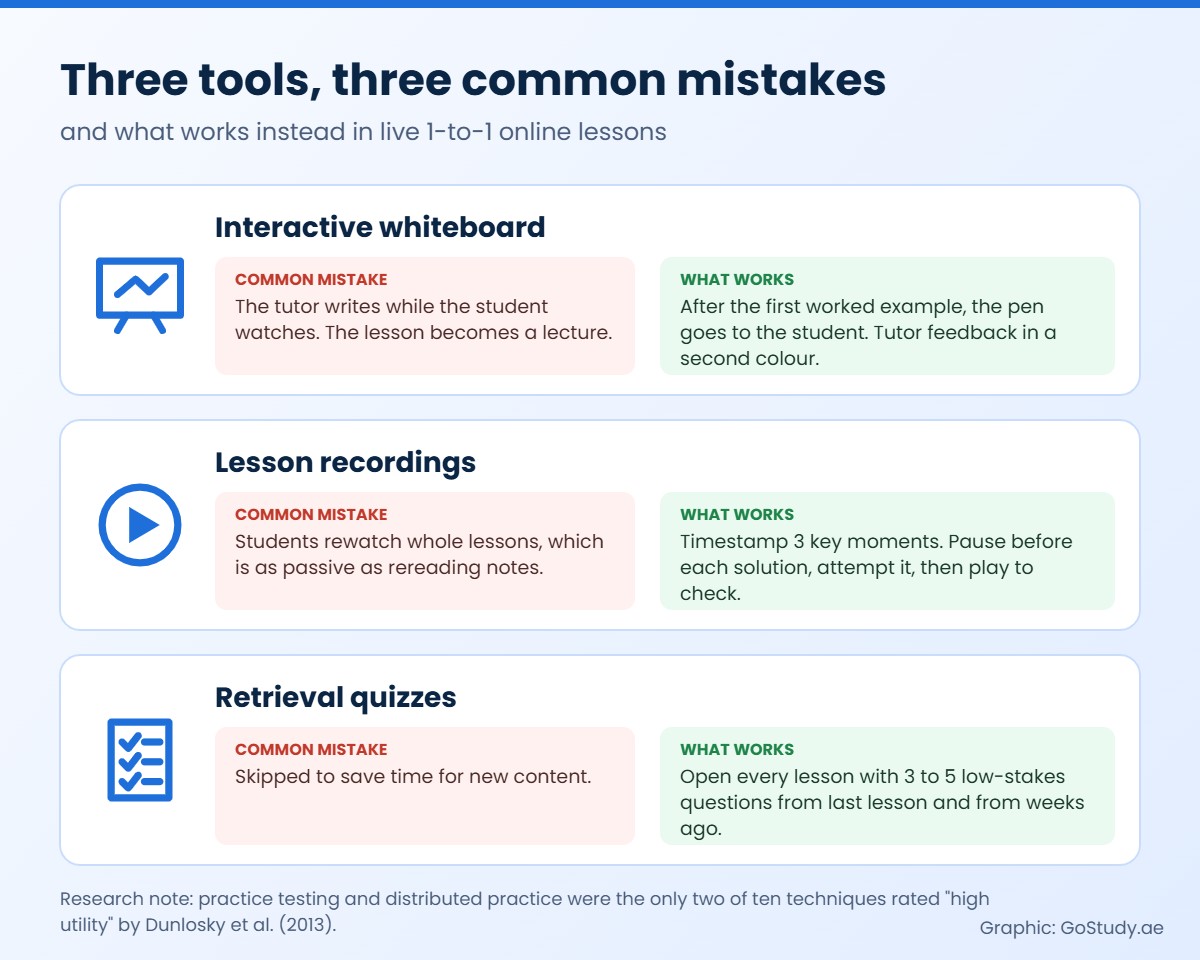
The common mistake: a board that only the tutor writes on. The tutor explains, the student nods, and the lesson quietly becomes a lecture.
What works:
- The pen goes to the student. The tutor models the first worked example; the student writes the next one on the board and talks through each step.
- Use two colours. Student working in one colour and tutor feedback in another, so mistakes stay visible instead of being wiped away.
- Prepare the board before the lesson. Load the questions, a blank diagram or a sentence starter, so lesson time goes on thinking, not setting up.
- Save the board at the end. A saved board becomes a ready-made revision sheet in the student’s own handwriting.
What this looks like in different subjects:
- Maths: the student writes every line of working; the tutor only circles the step where it goes wrong.
- English: the student annotates a paragraph on screen, underlining evidence and labelling each technique in a word or two.
- Science: the student labels a blank diagram from memory before the tutor reveals the full version.
- Younger learners: drag-and-sort activities, such as sorting words by sound or numbers by size.
2. Lesson recordings: a revision tool, not a replay button
Lesson recordings are one of the clearest advantages of online learning. A student can go back to the exact moment a method clicked. But most students use recordings by rewatching a whole lesson from the start. That feels useful, yet it is close to rereading notes: passive, and easy to forget.
What works: a three-step recording routine
- Timestamp three moments at the end of each lesson: the key method, the mistake the student made, and the exam-style question.
- Pause and predict. The student pauses the recording before each solution, attempts it on paper, then plays on to check.
- Keep it short. Ten focused minutes of pausing and practising is a better use of a recording than rewatching the whole hour.
Recordings also help parents see what was covered, and help tutors review their own explanations. Handle them with care: get consent, store recordings securely and share them only with the student and their parents, especially for younger learners.
3. Five-minute retrieval quizzes: the highest-impact habit
If you change one thing in your live online lessons, make it this. Retrieval practice means pulling information out of memory rather than reading it again, and it has some of the strongest evidence in learning science.
In a well-known study, Roediger and Karpicke (2006) found that students who restudied a passage did better on a test five minutes later, but students who had been tested on it instead remembered more two days and one week later. Dunlosky and colleagues (2013) rated only two of ten study techniques as “high utility”: practice testing and distributed practice, which means spreading study out over time.
A short quiz at the start of every lesson uses both ideas at once: it makes students retrieve, and it brings back older topics at spaced intervals.
How to run it:
- 3 to 5 questions, 5 minutes. Mix last lesson’s topic with one from two or three weeks ago.
- Low stakes. No marks and no pressure: the point is the effort of remembering.
- Give feedback straight away, so a wrong answer is corrected before it settles in.
- Log the misses. Every wrong answer becomes a question in a future quiz.
Question types that work well online:
| Question type | Example | Why it works |
|---|---|---|
| Free recall | “Write down everything you remember about photosynthesis.” | Shows what has really stuck, not just what can be recognised |
| Exam-style | One short past-paper question, timed | Builds exam technique and confidence |
| Explain why | “Why does the inequality sign flip when we divide by a negative number?” | Checks understanding, not just memory |
| Spot the mistake | A worked answer with one deliberate error | Trains students to check their own work |
Online tools make this easy: a quick poll, a quiz on the whiteboard, or simply questions typed into the chat.
Putting it together: a 60-minute live lesson
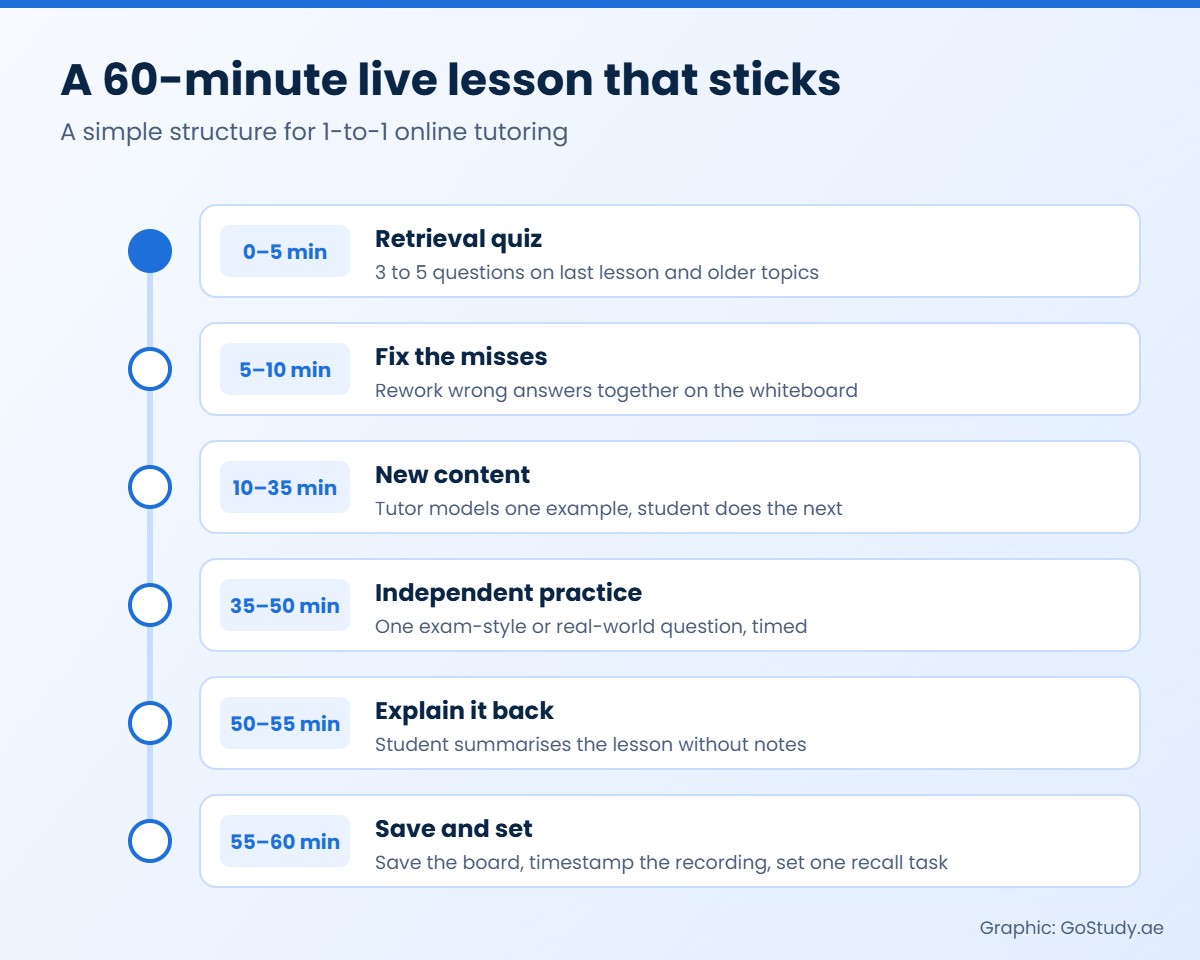
Here is a simple structure that brings all three tools together. It works for a primary maths lesson and for A Level chemistry; only the questions change.
| Time | Step | What happens |
|---|---|---|
| 0–5 min | Retrieval quiz | 3 to 5 questions on last lesson and older topics |
| 5–10 min | Fix the misses | Rework wrong answers together on the whiteboard |
| 10–35 min | New content | Tutor models one example, student does the next |
| 35–50 min | Independent practice | One exam-style or real-world question, timed |
| 50–55 min | Explain it back | Student summarises the lesson without notes |
| 55–60 min | Save and set | Save the board, timestamp the recording, set one recall task for home |
Adapting it by age
- Primary (age 4 to 11): spoken or picture-based quizzes, drawing and sorting on the whiteboard, and shorter activities of 10 to 15 minutes.
- Secondary (age 11 to 16): written quizzes, student-led working on the board, and recordings used for homework practice.
- Exam years (GCSE, IGCSE, A Level, IB): exam-style questions in every quiz, timed independent practice, and recordings timestamped by exam topic.
Common pitfalls to avoid
- Too many tools at once. One whiteboard, one quiz and one recording is enough; switching apps eats lesson time.
- Grading the quiz. Marks turn a learning activity into a test and add pressure.
- Silent screens. If the student has not spoken or written anything for five minutes, hand over the pen.
- Hour-long rewatching. Point students to the timestamps instead.
Frequently asked questions
How long should a retrieval quiz be?
About five minutes, with three to five questions: long enough to make students think, short enough to leave time for new learning.
Should online lessons be recorded?
Yes, if students use the recordings actively, by pausing and attempting problems. Always get consent and store recordings securely.
Do these methods work for younger children?
Yes, with small changes: spoken or picture quizzes, drawing on the whiteboard and shorter activities.
What if a student gets most quiz questions wrong?
The questions may be too hard, or the gap since the topic too long. Reteach it briefly and quiz it again in the next lesson.
Can live online lessons be as effective as face-to-face lessons?
They can be, when the student is actively thinking rather than watching. The habits in this article are designed to make that happen in every lesson.
Conclusion
The best live online lessons are not the ones with the most features. They are the ones where the student does most of the thinking. Hand over the pen, turn recordings into practice, and open every lesson with a short retrieval quiz: three small habits that make online learning stick.
References
- Roediger, H. L., & Karpicke, J. D. (2006). Test-enhanced learning: Taking memory tests improves long-term retention. Psychological Science, 17(3), 249–255. https://doi.org/10.1111/j.1467-9280.2006.01693.x
- Dunlosky, J., Rawson, K. A., Marsh, E. J., Nathan, M. J., & Willingham, D. T. (2013). Improving students’ learning with effective learning techniques. Psychological Science in the Public Interest, 14(1), 4–58. https://doi.org/10.1177/1529100612453266
Author bio
The GoStudy.ae Academic Team. GoStudy.ae is a platform for online tutoring in the UAE, based in Masdar City, Abu Dhabi. Its tutors teach live 1-to-1 lessons to students aged 4 to Year 13 across British, IB, American, CBSE and UAE Ministry of Education curricula.