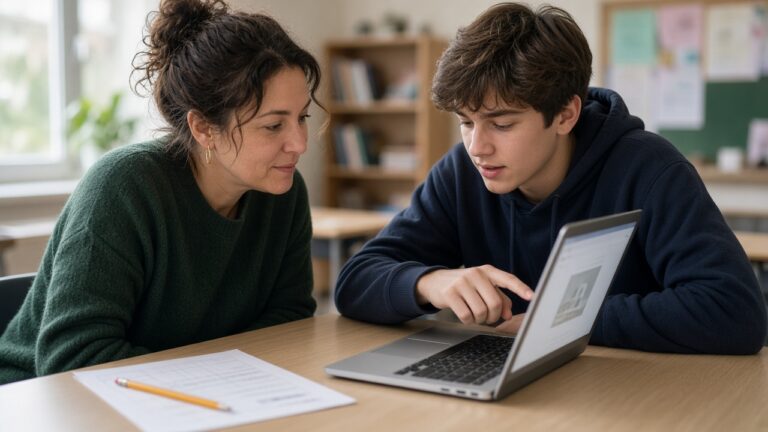
Ask a class of Year 8 pupils to research the causes of the Black Death and most will type the question straight into Google. Before they see a single website, they now get a tidy paragraph written by artificial intelligence (AI). This month a row over AI Overviews in schools has put that paragraph at the centre of a dispute between Google and the three largest school districts in the United States, and the questions it raises apply to any classroom where pupils search the web.
The short version: Google says that from next year, schools that want its AI features off for students will have to switch off Google Search as well, because the company says the two are too closely integrated to separate. New York City, Los Angeles and Chicago have said they may look at other search engines. Whatever happens there, the job for teachers stays the same. Pupils need to learn to treat an AI summary as a claim to check, not an answer to copy.

What Google has announced
On 3 November Google set out new controls for student accounts in its education products. According to Education Week, the Gemini chatbot and Google Search will both be off by default for school student accounts, and administrators can then choose to switch either or both on. Settings can differ by age group. A district could block AI for its youngest pupils, limit another group to a coaching mode called Guided Learning, and give older students the full search experience. The catch is that any group with AI switched off also loses Search. “Search and AI are deeply integrated,” said Chris Phillips, Google’s vice president and general manager of education.
Two weeks later the story grew. The Verge, following a New York Times report, said public schools in New York City, Los Angeles and Chicago were considering alternatives to Google Search. New York City’s schools chancellor, Kamar H. Samuels, said: “If Google doesn’t reconsider their position, we will explore other search options.” Los Angeles Unified confirmed that it had already disabled AI Overviews for students, and its chief information officer said the district could change its default search engine “literally overnight”, according to the Times. Some districts are reported to be looking at DuckDuckGo and Microsoft’s Bing, which both offer ways to turn AI answers off.
Google’s line is that schools are getting more choice, not less. A spokesperson told The Verge that the company is piloting Guided Learning in Search this month, to walk students through complex problems step by step instead of handing over quick answers.
Why AI Overviews in schools worry teachers
An AI Overview is the summary that appears above the normal links on many Google searches. For an adult checking what time the tip opens, it is handy. For a pupil learning to research, it skips the part of the task that does the teaching: scanning results, judging which sources deserve trust and building an answer from several of them.
A technology administrator at an elementary and middle school put it well on Google’s support forums, as reported by Wired. Pupils, they wrote, need to “examine sources, and draw their own conclusions rather than being handed an AI-generated synthesis before they’ve even started.”
Yvette Renteria of Common Sense Media, a former teacher and principal, raised the opposite worry with Education Week. Turning Search off removes the chance to practise finding and vetting sources at all. Leaving it on has its own problem: in July her organisation reported that Google’s AI Mode produced full answers to all 180 homework assignments its testers tried. “Having Google Search without AI search is the best option,” she said. For now, it is not one Google offers schools.
What the research says about summaries and clicking through
The clearest evidence on behaviour comes from the Pew Research Center, which tracked the browsing of 900 adults in the United States during March 2025. When a Google results page showed an AI summary, users clicked a normal result link on 8% of visits, compared with 15% when there was no summary. They clicked a source link inside the summary on just 1% of visits, and they were more likely to end their browsing session altogether (26% of visits against 16%).
Those were adults. I see little reason to expect 13-year-olds to be keener to click through. Wired also cites a study from Washington University in St. Louis that found only about 42% of AI Overviews could be fully verified from the citations they contained, and a Google survey in which three in four teenagers said they use AI weekly but only about half check its outputs for accuracy.
If the summary is the first thing pupils see, checking it has to be one of the first things we teach.
What this means if you teach outside the United States
The district dispute is American, but the feature is not. Google’s own Workspace admin help says AI Overviews and AI Mode are available to under-18 users of Google Workspace for Education in most countries, territories and languages. The reporting so far describes the new controls for schools in the United States, so if your school runs Google Workspace, ask whoever manages your admin console what will change for your pupils and when.
Workarounds exist, with caveats. Filtering companies such as Securly offer a feature to block AI content in Google results, and Fairfax County Public Schools in Virginia has been testing its own Chrome extension to hide AI Overviews. DuckDuckGo’s no-AI search turns off its AI features and filters AI-generated images out of results. Wired points out that unofficial fixes can stop working whenever Google changes how results are delivered, and Renteria warned that smaller schools without technical staff could be left behind.
Four classroom moves that work whatever your settings
Read the overview last, not first
For research tasks, ask pupils to scroll past the summary, open two sources and jot down what each says before they read the AI paragraph. Then they compare. Where does the summary agree with the sources? Where does it smooth over a disagreement, or add something neither source said? In a history lesson on the causes of the First World War, that comparison is the lesson.
Run a source hunt
Give pairs one claim from an AI Overview and five minutes to find where it came from. Some will trace it quickly. Others will discover that the cited page says something rather different. Both results teach more than a worksheet on reliable websites. Our guide to AI literacy in schools has more activities along these lines.
Ask for the trail as well as the answer
If a search summary can answer a homework question in seconds, the question needs to change. Ask for two sources with a sentence on why each can be trusted, or a short note on where the sources disagreed. It connects with what we found when looking at AI and homework: better scores do not always mean more learning.
Talk to your technology lead before anything changes
Decisions about switching services on or off usually sit with a network manager or a trust-level team, not with classroom teachers. Find out what is planned, which year groups it affects and what pupils will use if Search goes. As we argued in our piece on AI bans in schools, switching a tool off is only step one. Pupils still meet these summaries on their phones at home.
The bigger question for school leaders
Stephen Aguilar, who co-leads the Center for Generative AI and Society at the University of Southern California, told Wired that under-resourced districts will probably keep using Google and speed up their plans to teach digital literacy instead. I suspect that is where most schools will land, on both sides of the Atlantic. Earlier research we covered suggested that how pupils use AI matters more than how often they use it, and search looks no different.
That makes the classroom habits above more urgent. A setting in an admin console can change overnight. A pupil’s instinct to ask “where did this come from?” takes years to build, and it is the part a school fully controls.
Frequently asked questions
What are artificial intelligence (AI) Overviews in Google Search?
They are summaries written by AI that appear above the usual list of links on many Google searches. They include a few source links, but a Pew Research Center study found that adults clicked a link inside the summary on only 1% of visits.
Can schools turn off AI Overviews in Google Search?
Not on their own, according to Google’s announcement for schools in the United States. From next year, administrators can switch Search and the Gemini chatbot on or off for groups of students, but a group with AI switched off also loses Google Search. Some schools use filtering tools or browser extensions as unofficial workarounds.
Does this affect schools in the United Kingdom (UK)?
Google’s help pages say AI Overviews are available to under-18 Google Workspace for Education users in most countries. The new controls have so far been reported for schools in the United States, so check with your school’s Google Workspace administrator about what is planned locally.
How can teachers protect pupils’ research skills?
Ask pupils to open and read sources before the AI summary, then compare the two. Set homework that asks for sources and reasons rather than bare answers, and give short tasks where pupils trace a claim in a summary back to its original source.
Has your school changed its search settings, or are you teaching pupils to work around the summaries? Tell me what is working in the comments.