A student in Taiwan may use Windows in Traditional Chinese, read programming documentation in English, discuss assignments in a bilingual class group, and search technical terms in English—all in the same hour. None of that is unusual. The confusion starts when every language-related difficulty is treated as a translation problem.
Sometimes the obstacle is simply navigation: a learner knows what they want to do but cannot quickly find the right menu or setting. Sometimes the difficulty is a message written in an unfamiliar language. And sometimes the real problem is the subject itself.
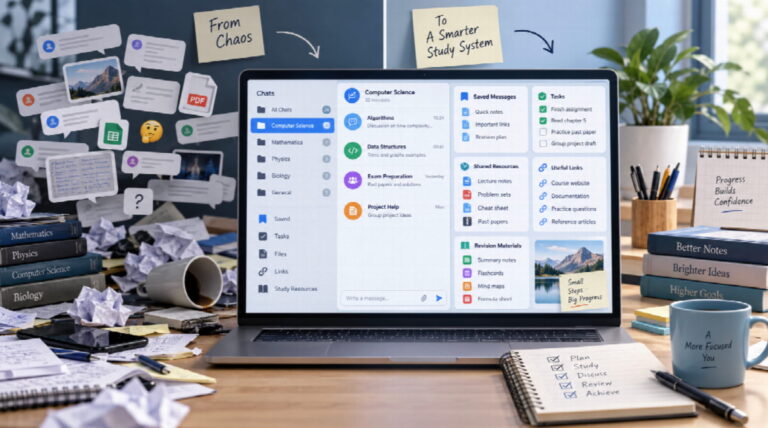
These situations look similar on the surface, but they need different solutions. A useful bilingual workflow separates interface language, translation support, and subject vocabulary instead of trying to make everything appear in one language.

Reduce Interface Friction First
If a learner understands the task but struggles to find settings, files, notifications, or privacy controls, changing the interface language can remove an unnecessary barrier.
That matters because learning already consumes attention. Students are trying to understand new concepts, remember instructions, compare sources, and complete tasks. There is little value in spending extra effort decoding routine navigation when navigation is not part of the lesson.
For students in Hong Kong or Taiwan, a familiar Traditional Chinese interface can make common digital tasks feel more immediate. Learners who prefer localized navigation may find a resource such as Telegram 繁體中文版 useful when setting up their communication environment.
The aim is not to translate the entire learning experience. It is to make the tool easier to operate so that attention can return to the actual subject.
Do Not Translate Stable Technical Terms Every Time
Technical subjects often have a working vocabulary that students will repeatedly encounter in documentation, software, search results, and professional environments.
Terms such as API, JSON, variable, function, database, GitHub, dataset, and prompt are good examples. A Traditional Chinese explanation can be useful when a term first appears, but repeatedly replacing the original term with different translations can make later research harder.
A practical approach is to introduce a term bilingually once:
application programming interface (API,應用程式介面)
After that, using API is usually enough.
This gives the learner both comprehension and searchability. They understand what the term means while still recognizing the language used in official documentation and international resources.
Use Translation as Scaffolding
Translation is most useful when it helps a learner cross a temporary gap.
A beginner may need deadline(截止時間) the first few times the word appears. After repeated exposure, deadline alone may become familiar enough.
That gradual reduction is important. If every familiar term is permanently translated, students can become dependent on an extra layer that they no longer need.
A good bilingual workflow therefore changes over time. It gives more support when vocabulary is unfamiliar, then removes that support as recognition improves.
Translate Meaning, Not Individual Words
Word-for-word translation often produces text that is technically correct but difficult to understand.
This is especially common in software, science, business, and technology, where familiar English words can have very specific meanings in context.
Instead of asking, “What does every word mean in Chinese?” it is often more useful to ask, “What does this sentence mean here?”
That small change encourages contextual understanding. It also reduces awkward notes in which every word has been translated but the underlying idea remains unclear.
Teachers and study-group organizers can apply the same principle. Translate the part that blocks comprehension, not every piece of text simply because translation is available.
Keep a Small Bilingual Glossary
A compact glossary is often more useful than repeatedly translating the same terms in messages.
For example:
- assignment — 作業
- deadline — 截止時間
- draft — 草稿
- source — 來源
- privacy — 隱私
- reference — 參考資料
The goal is consistency, not completeness.
Hong Kong and Taiwan do not always use identical terminology, and some technical words have several acceptable translations. Within a class or study group, however, using one preferred term consistently helps students recognize it faster.
A glossary does not need hundreds of entries. Start with the words students actually use every week.
Give Important Group Instructions One Primary Language
Bilingual group chats can become harder to scan when every sentence switches between languages.
For important instructions, it is often clearer to use one primary language followed by a short clarification where needed.
For example:
Submit the final report by Friday, 3 PM.
請於星期五下午 3 點前提交最終報告。
This is easier to process than mixing fragments of English and Traditional Chinese throughout a single paragraph.
Not every casual message needs to be duplicated. Reserve bilingual formatting for information where misunderstanding has a real consequence: deadlines, assessments, meeting times, important changes, or complex instructions.
Preserve the Original Language of Searchable Terms
Students often translate a term into Chinese, understand it, and then later struggle to find useful documentation because they no longer remember the original expression.
That is especially limiting in subjects where primary documentation is written in English.
Instead of recording only 兩步驗證, a learner might keep:
Two-Step Verification(兩步驗證)
The English phrase can then be reused in search engines, official documentation, help centres, and software menus.
The same habit works for programming, design software, scientific terminology, AI tools, and many other subjects. Bilingual learning works best when it connects source terminology with understandable explanations rather than replacing the source terminology altogether.
Know When the Problem Is Complexity, Not Language
Sometimes a student does not need translation. They need a clearer sentence.
A dense academic paragraph translated perfectly into Traditional Chinese can still be dense. In those cases, a better sequence may be:
original text → plain-language explanation → bilingual clarification if needed
Translation changes the language. Simplification changes the complexity.
Confusing the two can lead students to translate the same material repeatedly without addressing why it was difficult in the first place.
Build a Practical English–Traditional Chinese Workflow
A useful bilingual study system does not need many rules. A simple sequence is often enough:
- Set navigation to the language that makes the tool easiest to use.
- Keep important subject terminology in its original form.
- Add a Traditional Chinese explanation when a term first appears.
- Translate difficult instructions selectively rather than automatically.
- Maintain a short glossary of recurring terms.
- Search external resources using the original terminology.
- Reduce translation support as familiar vocabulary becomes easier to understand.
Learners who use Telegram as part of a bilingual study environment may also find a Traditional Chinese Telegram learning guide helpful, especially when they want the interface to feel familiar without turning every academic or technical term into a translated equivalent.
The key is to keep localization and learning language separate. One helps the learner operate the tool; the other helps the learner understand the subject.
Ask Which Layer Needs Fixing
Before translating a paragraph or changing a setting, identify the real source of friction.
If the learner cannot find a menu, localization may help.
If they cannot understand a message, translation may help.
If they cannot understand the concept, they need explanation or teaching.
If they cannot remember a recurring term, a bilingual glossary may help.
If they cannot find reliable documentation, the original keyword should probably be preserved.
If the text is simply too complicated, simplification may be more useful than translation.
This quick diagnosis prevents a great deal of unnecessary work.
The Goal Is Independence
Digital tools can make multilingual learning easier, but convenience should not become the final objective.
A localized interface can reduce navigation friction. Translation can help students cross a temporary language barrier. A bilingual glossary can make unfamiliar vocabulary easier to recognize.
None of those tools replaces comprehension.
The strongest multilingual workflow gradually helps learners need less assistance. Students become more confident recognizing original terminology, searching for reliable information, interpreting context, and deciding when translation is genuinely useful.
The best digital language support is therefore not the one that translates the most. It is the one that helps the learner understand more independently.